

Windows
Turn on auto complete for command promptTurn on auto complete for command prompt. This is very handy edit if you often use command prompt.
Photoshop
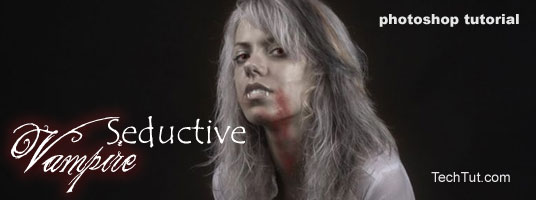
Create Seductive Vampire's in PhotoshopThis tutorial will show you how to create vampire. Editing your character and make it to look like a vampire. This tutorial includes changing skin color, adding blood and much more.
Photoshop
How to Add Bleed and Crop Marks in PhotoshopTo consistently produce quality photos using Adobe’s Photoshop, you will have to become familiar with the program’s Bleed and Crop Mark functions. This tutorial will show you how to use these functions.Photoshop
Photoshop: What is High Dynamic Range and How Do You Use It?What is dynamic range? According to that great source of public information, Wikipedia, it is “the ratio between the smallest and largest possible values of a changeable quantity, such as in sound and light.”Photoshop
Preparing Photoshop Files for Commercial PrintingSending a completed project to your commercial printer for printing can be a very exciting time. All the toil and hours that you have invested to make the perfect design are about to pay off. It is now out of your hands.Photoshop
How to Add Instant Depth of Field to Your PhotosThe more detailed you can make your images, the better they will look. Using Adobe’s Photoshop, you can do many amazing things with your designs. One of the more subtle changes that you can make, but one that can have a profound effect on the overall “fPhotoshop
How To Add Color To Monochrome Pictures in PhotoshopEditing photographs using Adobe’s Photoshop can be an exhilarating thing. Even experienced Photoshop users are continually amazed at the things they can do to improve their designs. 